
Product update
We've built our MCP, so you can generate any map via ChatGPT, Claude and any other AI tool
Connect the Generate Animated Map MCP server to ChatGPT, Claude, or another MCP-compatible AI tool, then create and edit animated maps with natural-language prompts.
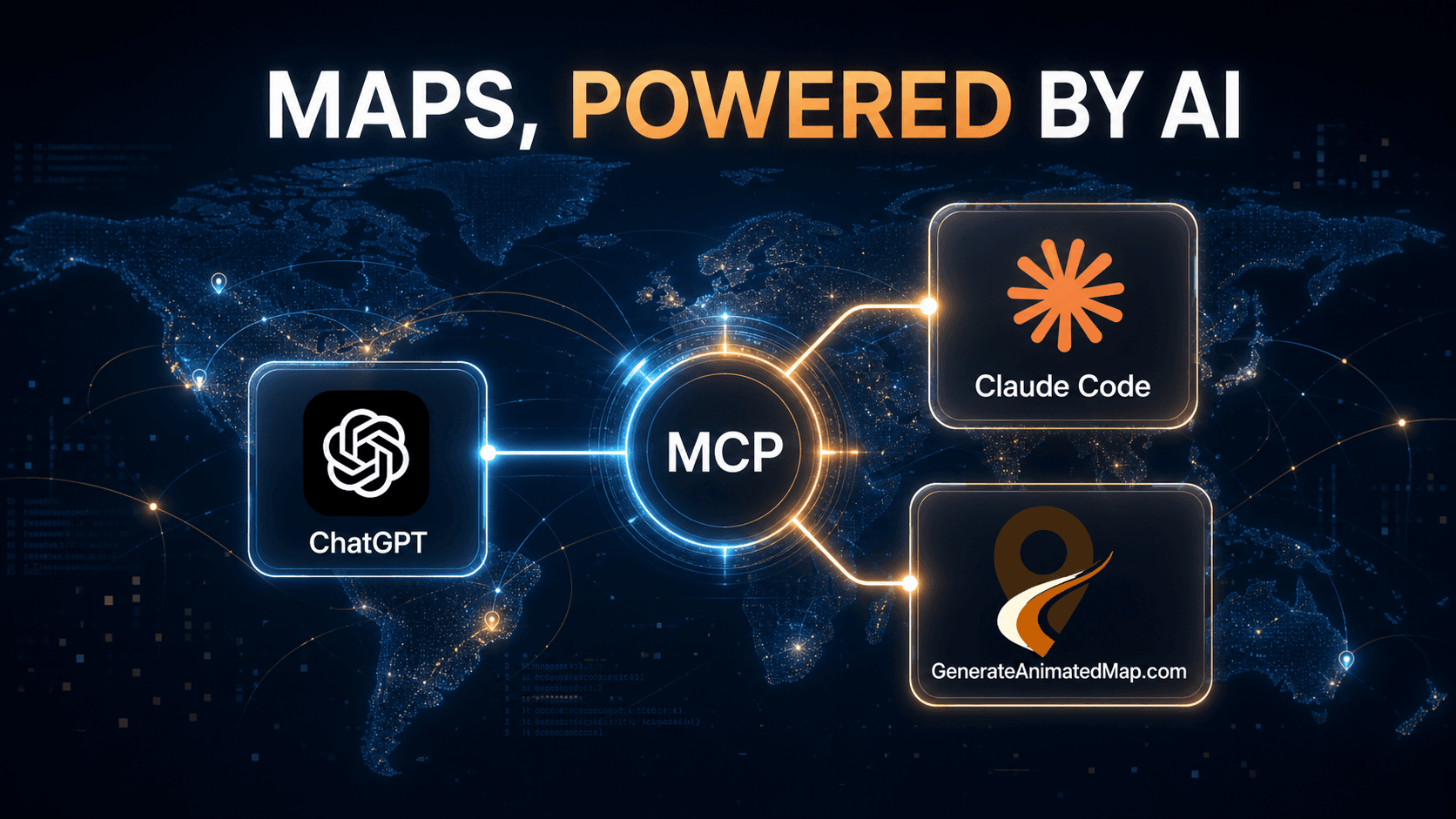
We have launched the Generate Animated Map MCP server, giving AI tools a direct way to create animated maps and charts in your account. Instead of opening an editor and configuring every option manually, you can describe what you need in a conversation.
MCP, or Model Context Protocol, is a standard that lets an AI assistant use approved tools from another service. Once connected, ChatGPT, Claude, or another MCP-compatible agent can turn your request into an editable Generate Animated Map project.
The server is hosted at generateanimatedmap.com, so there is no local package to install. Authentication uses OAuth: your AI client opens a secure sign-in and authorization flow, and you decide whether to grant access.
Why we built the Generate Animated Map MCP
Creating a map often begins as a sentence: show a plane flying from one city to another, color countries by a dataset, or compare a few values in an animated chart. Until now, that sentence still had to be translated into routes, styles, colors, timings, and chart settings by hand.
Our MCP gives that translation job to the AI assistant you already use. The assistant can choose the right Generate Animated Map tool, create the project in your account, and return a link to the normal web editor. You stay in control of the final design while avoiding repetitive setup work.
What can you create through the MCP?
The current integration supports the main animated map and data-visualization workflows available in Generate Animated Map.
- Animated flight maps between airport-served cities, with a passenger plane or another supported aircraft style.
- Animated choropleth maps that color countries, US states, or Russian federal regions from numeric data.
- Animated bar charts with editable values, labels, colors, legends, and animation settings.
- Animated line charts with multiple series, point markers, delays, colors, and line animations.
- Follow-up edits to maps and charts already created in your account.
- A direct editor link after every create or update action, so you can preview, fine-tune, and export the project.
Set up Generate Animated Map in your AI agent
Generate Animated Map is a hosted MCP server. In any client that supports remote MCP servers or custom connectors, add the server URL below and select OAuth authentication. Your client will open Generate Animated Map in the browser so you can sign in and approve the connection.
The wording differs between AI tools—some call it an MCP server, connector, app, or plugin—but the server address is always the same.
https://generateanimatedmap.com/mcpHow to connect Generate Animated Map to ChatGPT
ChatGPT currently lets you add the integration as a custom plugin in Developer Mode. The exact labels may change as the product evolves, but the connection flow is straightforward.
- Open ChatGPT Settings, go to Plugins, and turn on Developer Mode.
- In Plugins, click the plus button to add a custom plugin.
- Enter the name Generate Animated Map, use https://generateanimatedmap.com/mcp as the server URL, and choose OAuth authentication.
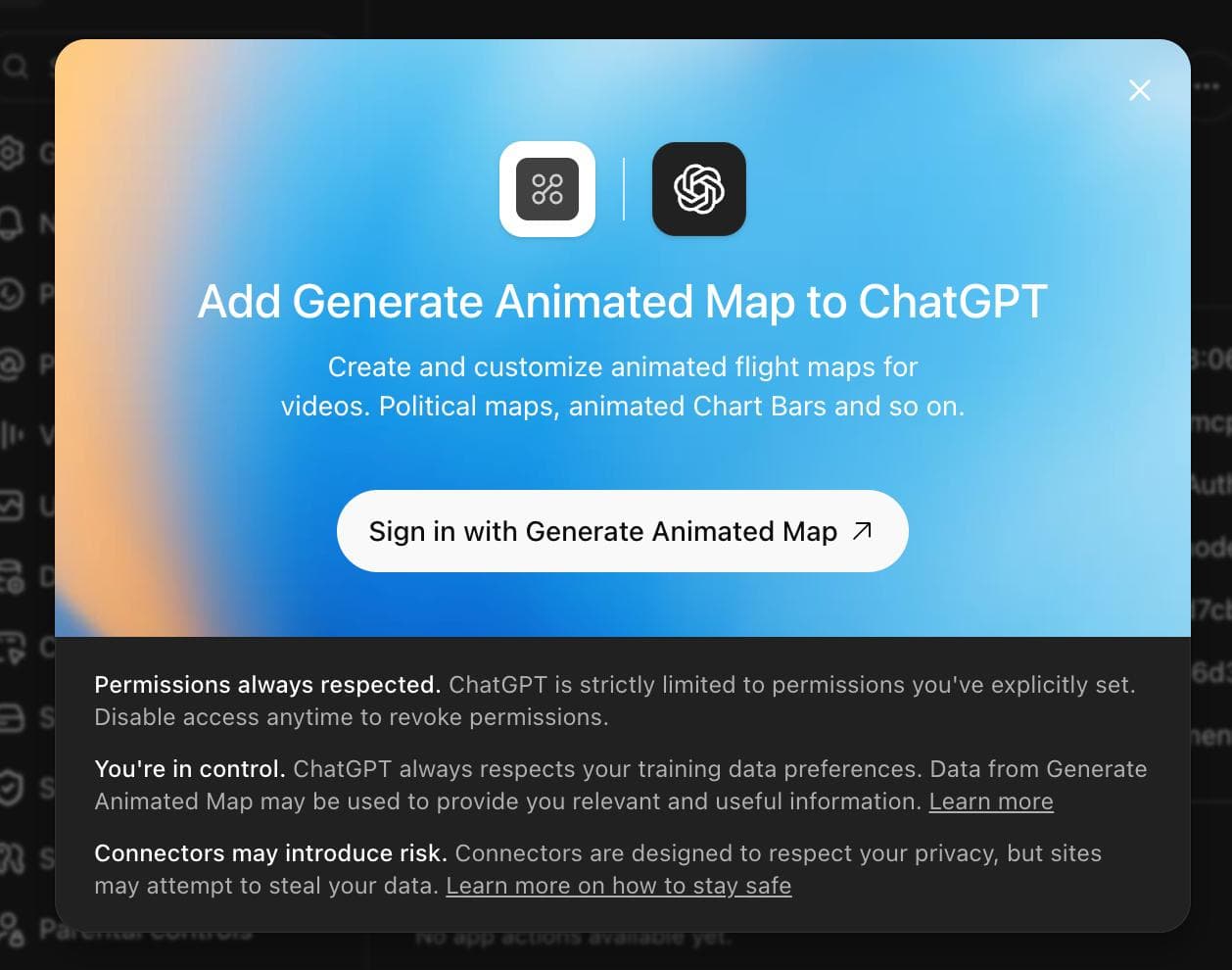
- Click Create, then choose Sign in with Generate Animated Map when ChatGPT asks you to connect the plugin.
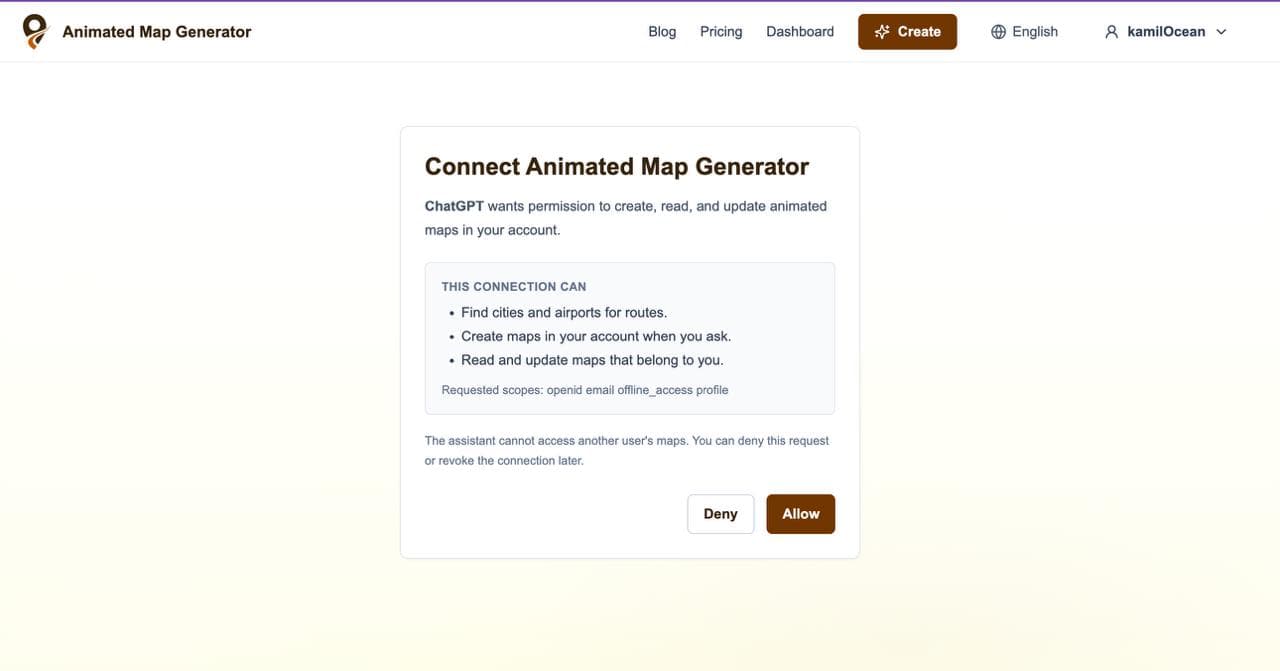
- Sign in to your Generate Animated Map account, review the requested permissions, and click Allow. The connection can find cities and airports, create maps when you ask, and read or update maps that belong to you.
- Start a new conversation, enable Generate Animated Map from the plugin or tools menu, and describe the map you want.
Generate your first animated map via ChatGPT
Once the plugin is enabled in the conversation, ask for a map in plain language. For example, paste this prompt into ChatGPT:
@Generate Animated Map Create an animated map for my YouTube video where a passenger plane flies from Paris to Moscow.What happens after you send the prompt?
ChatGPT uses the Generate Animated Map tools to resolve Paris and Moscow to supported airport-served cities, creates a World flight-map project with a passenger plane, and saves it to your account. It then returns a link to the editable map.
Open that link to preview the animation, make precise visual adjustments, and export the finished project as MP4 or PNG. You can also stay in the conversation and ask for follow-up changes.
- Change the map style to Minimal News.
- Make the route line red and use a 10-second duration.
- Switch the aspect ratio to 9:16 for a YouTube Short.
- Use a different supported aircraft style.
- Show me my recent maps and update the Paris-to-Moscow project.
Connect from Claude or another MCP-compatible tool
In Claude Desktop or another compatible AI client, open the settings for Connectors or MCP Servers and add a custom remote server. Name it Generate Animated Map, enter the hosted URL, and complete the OAuth sign-in in the browser window that opens.
After connecting, enable the server for your conversation and ask for a map in the same natural-language format. If your client asks for a transport type, choose Streamable HTTP or HTTP. No local Generate Animated Map installation is required.
Name: Generate Animated Map
URL: https://generateanimatedmap.com/mcp
Authentication: OAuth
Write better map prompts
A short prompt is enough to start, but a few extra details help the assistant produce a project that is closer to your final video. Mention the content format, the places or dataset, and any visual constraints that matter.
- Name the origin and destination for a flight map.
- Specify World, USA, or Russia when creating a choropleth map.
- Include the values and labels for a bar or line chart.
- Ask for 16:9, 1:1, or 9:16 depending on where the animation will be published.
- Mention the duration, map style, colors, or animation behavior when you already know what you want.
- Continue with small follow-up requests instead of rewriting the full prompt.
OAuth keeps you in control
The MCP connection uses OAuth authorization. ChatGPT or another AI client cannot work with your account until you sign in and explicitly allow access. The integration is limited to the permissions shown during connection, and it cannot access another user's maps.
You can deny the request during setup or revoke the connection later. Creating and updating projects through the MCP requires an active Generate Animated Map subscription.
Frequently asked questions
What is the Generate Animated Map MCP server URL?
Use https://generateanimatedmap.com/mcp in ChatGPT, Claude, or another client that supports custom remote MCP servers.
Do I need to install anything locally?
No. Generate Animated Map hosts the MCP server. Add the HTTPS server URL to your AI client and complete the OAuth connection in your browser.
Which AI tools can use the integration?
The server is designed for ChatGPT, Claude, and other clients that support remote MCP servers with OAuth. The setup screen and feature availability depend on the client and account you use.
What can the AI create?
It can create animated flight maps, World/USA/Russia choropleth maps, animated bar charts, and animated line charts. It can also read and update projects that belong to your account.
Can ChatGPT export the finished video?
The MCP creates or updates the editable project and returns its editor link. Open the project in Generate Animated Map to preview it, make final visual adjustments, and export it as MP4 or PNG.
Does MCP access require a subscription?
Yes. Creating and updating maps through the Generate Animated Map MCP requires an active paid subscription.